Do Facebook, Instagram and WhatsApp Remove Photo Metadata?
Mostly yes, from the copy other people see. That sentence hides three important qualifications.
It is the most common reassurance in any discussion about photo privacy: don't worry, the platform strips EXIF anyway. It is also mostly true. If you post a geotagged photo to Facebook or Instagram and someone downloads it, they will usually find no coordinates in the file.
The trouble is what that sentence quietly leaves out. Stripping happens as a side effect of compression, not as a privacy feature. It applies to the copy other people can download, not to the file the company received. And it varies by service, by how you sent the photo, and by the week.
This article goes through the major services one at a time, explains the pattern behind the differences, and ends with the one approach that does not depend on any of them.
Why platforms strip metadata at all
Almost no service deletes EXIF because it cares about your location. It happens because of bandwidth.
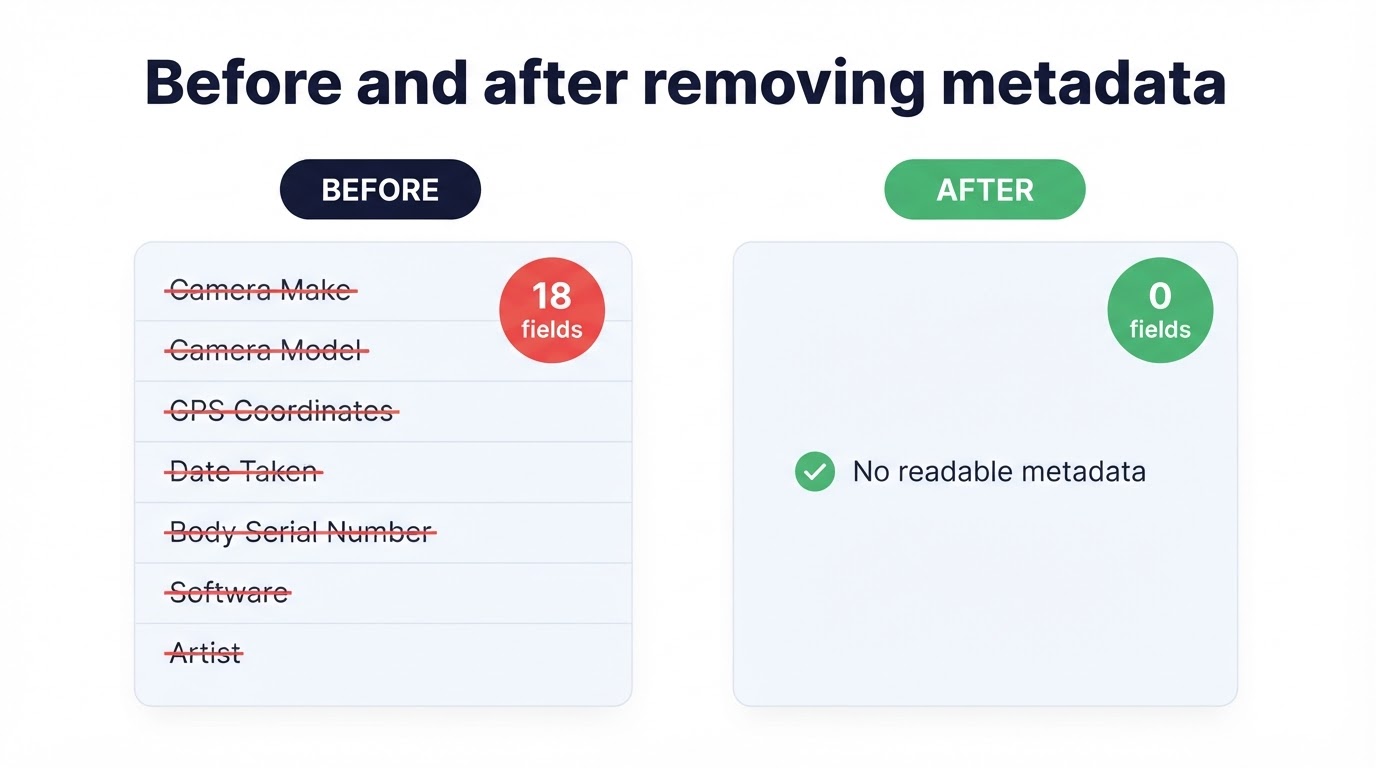
A 12-megapixel phone photo is several megabytes. Serving that to every viewer would be wasteful, so platforms decode the image, resize it to the sizes they actually display, and re-encode it. The output is written from decoded pixels, which means there is nowhere for the original EXIF block to survive. It is not blanked — it is simply never carried across. We measured exactly this effect in the test described in our metadata privacy guide: every re-encode removed all eighteen original fields.
The key distinction: a platform that re-encodes your photo publishes a copy with no EXIF. A platform that stores your photo keeps the original, metadata included. Publishing services strip by accident; storage services preserve on purpose.
Service by service
Uploads are resized and re-encoded, so the image served to other viewers generally carries no readable EXIF, GPS included. The file you uploaded still arrived complete, and what happens to that copy is a matter of Facebook's data policy rather than of image processing. Treat the strip as protection from other users, not from the platform.
The same processing pipeline, so the same outcome: the displayed image has no usable EXIF. One point confuses people — a location shown on a post is not metadata. It is a tag you chose in the interface, it is meant to be public, and removing EXIF before uploading will not remove it. Check the post, not just the file.
This is the one with a genuine trap. Send a photo through the normal image picker and it is compressed for transmission, which drops most EXIF. Send the same photo as a document — the paperclip, then Document — and it arrives byte for byte, with GPS, serial number and timestamps intact. Document mode exists precisely to preserve the file, so it does its job.
X (Twitter)
Uploaded images are processed and re-encoded, so EXIF is generally not available in the image served to viewers. As with the others, the upload itself is unaffected by this.
Google Photos
A library rather than a publisher, so it deliberately keeps metadata. Dates power the timeline, coordinates power the map view, and camera data powers search. This is correct behaviour for the product, and it means a photo downloaded from your own library still has everything it started with.
Attachments are normally delivered unchanged, which makes email the most metadata-faithful channel most people use daily. Some mobile mail apps offer to shrink large images before sending — that re-encodes and therefore strips — but the offer is inconsistent and easy to dismiss by accident. Assume full metadata arrives.
Cloud storage and file-transfer links
Dropbox, Drive, OneDrive and WeTransfer exist to move files intact. They do not strip anything, and nor should they. If you are sending photos this way, cleaning them first is the only step that applies.
| Service | What usually happens | Original kept by them? |
|---|---|---|
| Re-encoded and resized; most EXIF not served | Yes | |
| Re-encoded; EXIF not served. Post location is separate | Yes | |
| WhatsApp (as photo) | Compressed; most EXIF dropped | In transit |
| WhatsApp (as document) | Nothing removed — full file delivered | In transit |
| X (Twitter) | Re-encoded; EXIF not served | Yes |
| Google Photos | Metadata kept on purpose | Yes |
| Email attachment | Delivered as-is unless you accept a resize | Mail servers |
| Cloud storage link | Delivered as-is | Yes |
None of these companies promises this behaviour in writing, and processing pipelines change. The table is a map of the current terrain, not a contract.
Three reasons the strip is not enough
1. The original still arrived
Stripping protects you from other users downloading your photo. It does nothing about the full-resolution, fully geotagged file sitting on the service's servers, which is covered by their retention and sharing policies rather than by their image resizer.
2. It is undocumented and therefore unstable
A behaviour that exists as a side effect can disappear when the pipeline is optimised. New formats, new upload paths, "original quality" options and business accounts all introduce exceptions. There is no announcement when one changes.
3. It only ever touches the invisible half
No amount of re-encoding removes the house number on the door behind you, the school logo on a jumper, the parcel label on the table or the street reflected in the window. That is the half most location identifications actually rely on, and it needs a human check — the subject of our pre-sharing checklist.
Test it yourself in two minutes. Post a photo, download the public copy back from the service, and open both files in our metadata viewer. You will see exactly what that platform does today, for that file type, on that upload path. It is the only answer that is current.
What to do instead
- Clean the copy before it leaves your device. Our image metadata remover rebuilds the file locally and writes a clean copy. Then it does not matter which service you use, or what it changed this month.
- Turn off location tagging in the camera app. New photos then never carry coordinates at all. The exact settings for both systems are in removing GPS from photos on iPhone and Android.
- Watch the sending path, not just the app. In WhatsApp, send as a photo rather than a document unless the recipient genuinely needs the original. In email, assume nothing is removed.
- Check the picture as well as the file. Signage, plates, labels, uniforms and reflections survive every platform on this page.
- Verify anything sensitive. For journalism, safety or legal matters, confirm the cleaned file in an independent viewer before it goes anywhere.
Frequently Asked Questions
Does Facebook remove EXIF data from photos?
The copy Facebook serves to other viewers is re-encoded and resized, so most EXIF — including GPS — is not present in the image people can download. The file you uploaded still reached Facebook's servers complete, and that copy is governed by their policies, not by the stripping.
Does Instagram keep photo location data?
Instagram re-encodes uploads the same way, so the displayed image generally carries no readable EXIF. Separately, any location you add to a post is published deliberately — that is a caption feature, not metadata, and removing EXIF does not remove it.
Does WhatsApp strip metadata from photos?
It depends how you send it. A photo sent through the normal image picker is compressed, which drops most EXIF. The same photo sent as a document is delivered as-is, with GPS and every other tag intact, because the point of document mode is to preserve the file.
Does Google Photos remove EXIF?
No, and it is not supposed to. Google Photos is a library: it keeps dates and location because search, maps and memories are built on them. A shared link may limit what a recipient sees, but the stored original keeps its metadata.
Is metadata removed when I email a photo?
Normally not. An email attachment is delivered byte for byte, so the recipient gets the original file with full EXIF and GPS. Some mobile mail apps offer to resize the image before sending, which re-encodes it, but you should not rely on that.
If platforms strip EXIF anyway, why clean the file myself?
Because stripping is a side effect of compression, not a promise. It differs by service, by upload path and by file type, it can change without notice, and it never applies to the original the platform received. Cleaning before upload is the only part that behaves the same everywhere.
How can I check whether a platform removed my metadata?
Upload the photo, then download the public copy back from the service and open it in a metadata viewer. Compare it with the file on your device. That tells you what that service does today, for that file type, on that upload path.
Does a platform stripping EXIF protect the people in the photo?
Only from the hidden layer. House numbers, street signs, uniforms, reflections and parcel labels are part of the picture itself and survive every re-encode. Those have to be handled before you post, usually by cropping.
Conclusion
The honest answer to the title is: usually, for the copy strangers can download, as an accident of compression, on most services, for now. That is a lot of qualifications to rest a privacy decision on.
The alternative is one step you control completely. Clean the file before it leaves your device, and the question of what each platform does this month stops mattering. Then spend the attention you saved on the half no platform touches: what the picture itself shows.
Remove photo metadata for free in your browser — no sign-up, no upload, and the original on your device is left exactly as it is.
Sources
- Office of the Privacy Commissioner of Canada — Metadata and Privacy
- Global Investigative Journalism Network — How to Protect Yourself from Metadata
- UK Information Commissioner's Office — What is personal data?
- Library of Congress — Exif format description
Platform behaviour described here reflects our own testing and public documentation as of October 2026; none of these companies guarantees it. External links open in a new tab.