EXIF, XMP, IPTC and ICC: The Metadata Formats Explained
Four standards, four different authors, one file — and only three of them have anything to do with your privacy.
"Metadata" is used as if it were one thing. In an image file it is usually four, written at different moments by different software, stored in different places, and read by different programs that often ignore the others entirely.
That matters for one practical reason. A tool that clears EXIF clears EXIF. If a photographer's name sits in an IPTC block and a caption naming a town sits in XMP, both survive — and the file looks clean to anyone who only checks the camera tags.
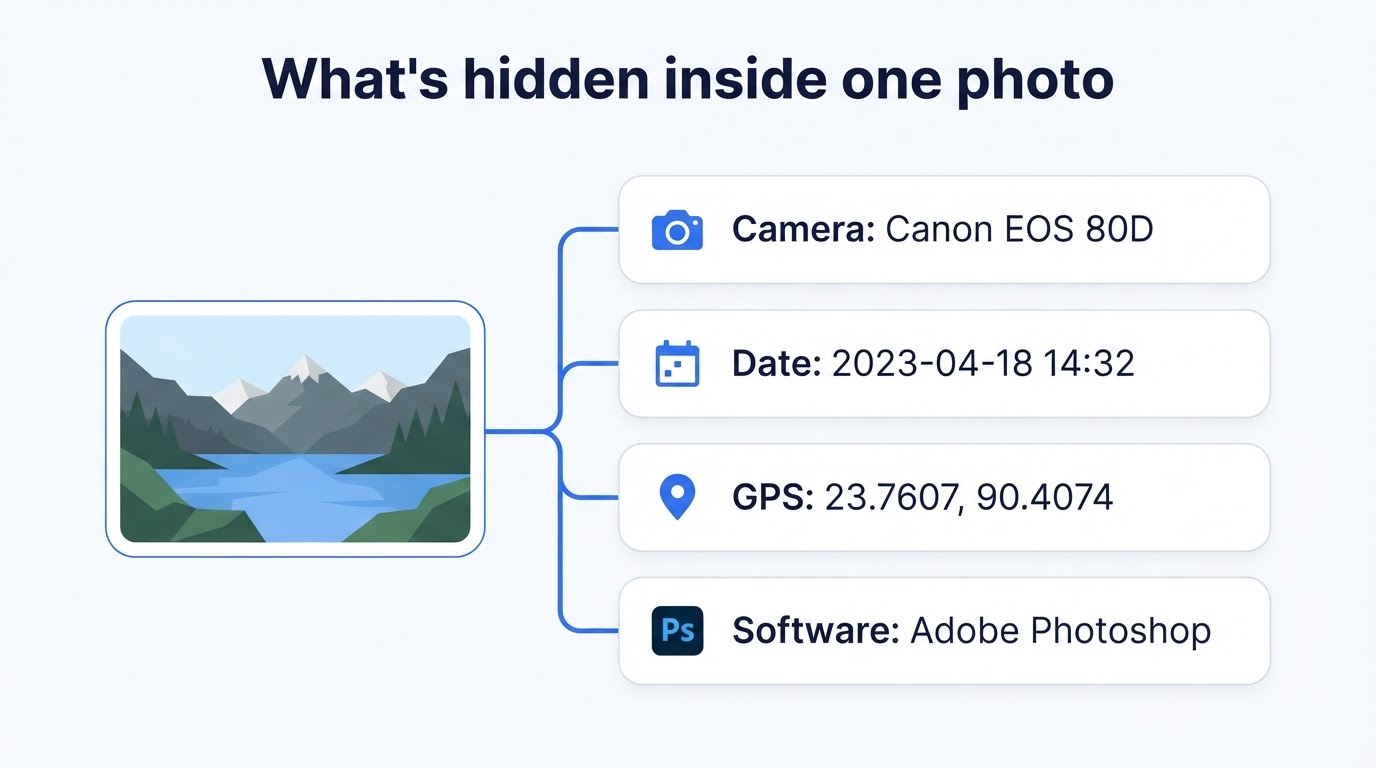
EXIF — what the camera recorded
Written by: the camera or phone, at the moment of capture.
EXIF (exchangeable image file format) is the oldest and most familiar of the four. It holds make and model, lens, exposure settings, orientation, one to three timestamps, sometimes a body serial number, and GPS coordinates if location was enabled. It is machine-generated, highly standardised and present in almost every photo straight out of a device.
For privacy it is the most important block, because it contains the two fields that place a person: coordinates and time. We go through it tag by tag in what is EXIF metadata.
XMP — what the editor did
Written by: editing software, when the file is saved.
XMP (Extensible Metadata Platform) was introduced by Adobe and is now an ISO standard. Unlike EXIF's fixed numeric tags, XMP is XML text, so it can hold anything an application wants to define — and applications do.
Typical contents: the editing history, which program and version saved the file, a document identifier that persists across copies, keywords, star ratings, captions, creator and rights statements. Lightroom, Photoshop, Capture One and most phone editors all write it.
Two things make it privacy-relevant. It frequently holds a name, because creator and rights fields are filled in once and then reused forever. And the document identifier can link separate exports back to one original — two different crops, posted in two different places, traceable to the same source file.
IPTC — what the publisher needs
Written by: photo desks, agencies, stock libraries and cataloguing software.
IPTC metadata comes from the International Press Telecommunications Council and predates the digital camera: it standardised how a caption, credit and usage terms travel with a news photo. The modern version is the IPTC Photo Metadata Standard, usually carried inside XMP.
Fields include headline, caption, keywords, creator and their job title, credit line, copyright notice, source, and location as written text — city, state, country. That last group is worth noticing: a photo with no GPS whatsoever can still announce its city in an IPTC field, because a human typed it there.
ICC — how the colours should look
Written by: the camera, editor or browser, when the file is encoded.
An ICC profile is the odd one out. It is not descriptive metadata at all — it is a colour-management instruction, telling a display how to interpret the numbers in the image so that the same photo looks the same on different screens. Common names you will see are sRGB, Display P3 and Adobe RGB.
It contains nothing about you, the device owner or the location. In our own re-encoding test, described in the metadata privacy guide, JPEG and WebP outputs each gained an ICC profile that the original did not have: the browser attached one while encoding. That is normal and harmless — and it is why "zero metadata" is usually an overstatement.
The one-line version: EXIF is what the camera measured, XMP is what the software did, IPTC is what a person wrote for publication, and ICC is how the colours should be displayed. The first three can identify someone; the fourth cannot.
Side by side
| Format | Written by | Typical contents | Privacy weight |
|---|---|---|---|
| EXIF | Camera or phone, at capture | Make, model, lens, serial, exposure, timestamps, GPS | High — location and time |
| XMP | Editing software, on save | Edit history, software, document id, keywords, creator, rights | Medium–high — names and linkage |
| IPTC | Photo desks and catalogue tools | Caption, headline, creator, credit, copyright, city and country | Medium–high — names and written locations |
| ICC | Camera, editor or browser, on encode | Colour space definition (sRGB, Display P3, Adobe RGB) | Negligible — no personal data |
Beyond JPEG
The same ideas appear in other containers under different names.
- PNG — free-text chunks (tEXt, iTXt) that can hold anything a program writes, plus XMP and an embedded colour profile.
- WebP — dedicated chunks for EXIF, XMP and ICC, so a WebP copy can carry across everything the JPEG had.
- HEIC — the iPhone's default format; stores EXIF much as JPEG does, inside a different wrapper.
- PDF — a document info dictionary (title, author, creator, producer) and usually an XMP packet as well. Our PDF metadata remover targets both.
- DOCX, XLSX, PPTX — core, app and custom property files inside the archive, holding author, company, revision count and editing time. That is the job of the document metadata remover.
Removing all of them at once
There are two approaches, and the difference matters.
Editing the blocks means opening the file, finding each metadata region and deleting or overwriting it. It preserves the original compressed pixels exactly, which is ideal for quality — but it only removes what the tool knows to look for. Anything unusual stays.
Rebuilding the file means decoding the image to raw pixels and encoding a brand-new file from them. Nothing but the picture is carried across, so EXIF, XMP and IPTC are absent rather than blanked. The cost is a re-compression step for JPG and WebP, invisible at a high quality setting, and the browser will attach a fresh ICC profile to the output.
Our tools use the rebuild approach, which is why our test file came out with zero identifying fields rather than a set of empty ones:
- Look first. The metadata viewer reports every block it can read — EXIF, GPS, XMP, IPTC and ICC flags, PNG text chunks — with no cleaning step and no download.
- Clean the image. The image metadata remover rebuilds the file locally and gives you a clean copy. Nothing is uploaded.
- Verify. Put the cleaned file back through the viewer. Expect to see the image details and, on a JPG or WebP, an ICC profile — and nothing else.
Why "I removed the EXIF" is not the same as "the file is clean": the caption, the creator name and the city in an IPTC block are untouched by an EXIF-only tool. If you need certainty, check the output rather than trusting the label on the button — including ours.
Frequently Asked Questions
What is the difference between EXIF and XMP?
EXIF is written by the camera at capture and records the device and the exposure. XMP is written later by editing software and records how a human handled the file: edits, captions, keywords, ratings and rights. EXIF describes the shot, XMP describes the work.
What is IPTC metadata used for?
It is the publishing industry's descriptive standard: caption, headline, creator, credit line, copyright notice, city and country. Picture desks and stock libraries rely on it, which is also why it often contains a real name and contact details.
Is an ICC profile a privacy risk?
Practically no. An ICC profile describes how colours should be interpreted — sRGB, Display P3 and so on — so the image looks consistent across screens. It says nothing about you, and removing it can actually make colours shift.
Can a photo contain all four at once?
Yes, and an edited photo often does. The camera writes EXIF, an editor adds XMP, a publishing workflow adds IPTC, and the colour-managed export embeds an ICC profile. They sit in separate regions of the same file and are read by different software.
Why does clearing EXIF sometimes leave data behind?
Because a tool that targets EXIF only edits the EXIF block. XMP and IPTC live elsewhere in the file and survive untouched, which is how a cleaned photo can still carry a photographer's name or a caption with a location in it.
Do PNG and WebP files have metadata too?
Yes, in their own containers. PNG stores free-text chunks and can carry XMP; WebP has chunks for EXIF, XMP and ICC. The names differ from JPEG but the privacy question is the same: who wrote it, and what did they put there.
How do I remove all of the metadata blocks at once?
Rebuild the file from its decoded pixels rather than editing blocks individually. The output contains only the image data, so EXIF, XMP and IPTC are absent rather than blanked. Browsers usually attach a fresh ICC profile to the new file, which is harmless.
Which of these formats should I actually worry about?
EXIF for GPS, timestamps and camera serial numbers; XMP and IPTC for names, captions, locations and editing history. ICC is about colour and carries no personal information, so it is the one block not worth chasing.
Conclusion
None of these standards was designed to expose anyone. EXIF exists so photographers can learn from their archive, XMP so edits survive a round trip, IPTC so a caption reaches the printing press with the picture, ICC so colours hold up across screens. Each is doing its job.
The problem is only that they all travel with the file, and that most cleaning advice names just one of them. Knowing there are four is most of the defence. Checking the output is the rest.
See what is in your own photo first with the free metadata viewer, then clean it in your browser — no sign-up, no upload, original untouched.
Sources
- Library of Congress — Exif, Exchangeable Image File Format
- Adobe — Extensible Metadata Platform (XMP)
- IPTC — Photo Metadata Standard
- International Color Consortium — What is an ICC profile?
External links open in a new tab.